He wants a bold, futuristic space that feels straight from movies and video worlds. This introduction shows practical steps to make a high-impact setup without a big budget.
The guide focuses on core elements: lighting, layout, and affordable accents. By adding neon lights and smart placement for a console and PC, one can lift the gaming experience and craft a personal escape at home.
It explains how classic films and popular games inspire easy, low-cost ideas. Readers will learn to blend techy details and simple decor to mimic neon-drenched cityscapes.
Start by defining the space, then pick a small palette of colors and lights. That approach keeps costs down and ensures a cohesive setup that looks intentional and polished.
Key takeaways: Create impact with lighting; prioritize a dedicated console and PC area.
Understanding the Cyberpunk Aesthetic
A distinct visual code ties together sleek minimalism, deliberate chaos, and retro-futuristic flair. These three core styles create the foundation for a modern high-tech setup.
Defining the Core Styles
The minimalist approach favors clean lines, metal finishes, and a tight color palette. It uses geometry and glass to feel streamlined.
The chaotic style layers cables, stacked hardware, and eclectic lighting to suggest a lived-in future. Retro-futuristic design adds neon accents and vintage tech silhouettes for nostalgia.
The Role of Technology
Technology ties these styles together. Electronics, automated controls, and ambient lighting create an immersive experience for console setups and PC stations.
By choosing the right elements—neon pink or cyan blue accents, repeated patterns, and smart lighting—they make the space feel like an extension of the worlds in their favorite games and movies.
“Ambient lighting and simple automation do more to sell the aesthetic than expensive decor.”
- Three core styles: minimalist, chaotic, retro-futuristic.
- Shared features: metal, glass, electronics, ambient lighting.
- Use a tight color scheme to reinforce the design.
Essential Elements for Your Cyberpunk Gaming Room
Identify practical pieces first—desk, display, and seating—so the layout supports long play sessions. A solid desk and comfortable seating set the foundation for any game room. Add a TV or projector for large visuals and dedicated storage to keep cables and controllers organized.
- High-quality desk: Offers stable support for PCs, consoles, and peripherals.
- Comfortable seating: Ergonomic chairs reduce fatigue during long games.
- Display system: TV or projector matched to room size improves immersion.
- Smart storage: Shelves and drawers maintain the high-tech aesthetics and limit clutter.
This setup works in small apartments or larger rooms. The style adapts to many budgets and design approaches. By choosing quality pieces, he can lift the experience and keep the space functional and stylish.
Strategic Budgeting for High-Tech Decor
Prioritizing a few key purchases helps turn a modest budget into a polished setup. He should map costs before shopping and split the total into three buckets: essentials, accent pieces, and upgrades.
Smart Shopping and DIY Approaches
Set realistic tiers. A basic game room can live between $1,000 and $3,000. Mid-range setups fall from $3,000 to $10,000. Luxury designs can exceed $10,000.
Use the budget to guide decisions. For example, allocate more to a quality desk and a few striking accessories. Save on lighting installation by choosing stick-on LEDs or modular strips.
- Buy one quality desk rather than several cheap stands.
- Mix DIY lighting with a single professional install if needed.
- Focus on cohesive accessories that tie the setup together.
“Investing in a few high-quality pieces beats filling the space with mismatched, low-quality items.”
With careful shopping and simple DIY, his gaming experience improves while keeping costs in check. The right approach brings a professional feel without unnecessary expense.
Selecting Furniture and Lighting for Maximum Impact
Start by choosing pieces that balance posture support with bold visual lines. A focused selection of furniture and lights lifts the whole setup without overspending.
The Importance of Ergonomic Seating
A quality gaming chair changes how long he can play without strain. The DXRacer Air Series uses a durable mesh and racing-car ergonomics to deliver lasting comfort and support.
Choose chairs with lumbar adjustment and breathable materials. Comfort improves concentration and the overall gaming experience.
Utilizing Neon and LED Accents
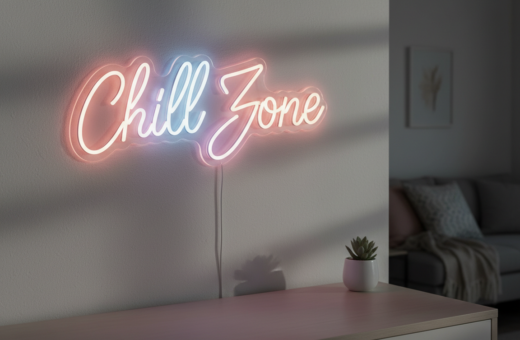
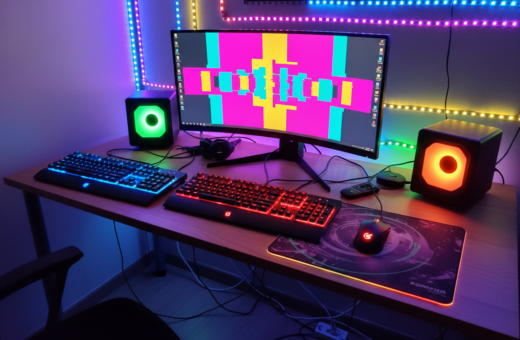
LED and neon lights let him match the palette of favorite video titles. Use strips behind displays and under desks to add depth and color without clutter.
Controlling Ambiance with Remote Tech
Remote control systems make it easy to change brightness, strobe effects, and color on the fly. That flexibility helps set mood for intense console sessions or relaxed video nights.
“Adjustable lighting gives the space instant drama and practical visibility.”
For setup tips and more ideas, see gaming room ideas.
Layering Textures and Personalizing Your Space
Textures change how light reads a space, so vary materials to amplify your visual impact.
Start by pairing metal and glass with soft textiles. Metal frames and acrylic panels reflect neon and LED lights. Soft rugs and woven throws absorb glare and add comfort.
- Mix finishes: matte black furniture with glossy cyan accents for contrast.
- Add personal accessories like posters, shelf figures, and tech-themed art to tell a story.
- Use Neon Pink and Cyan Blue in small doses so color pops without overwhelming the space.
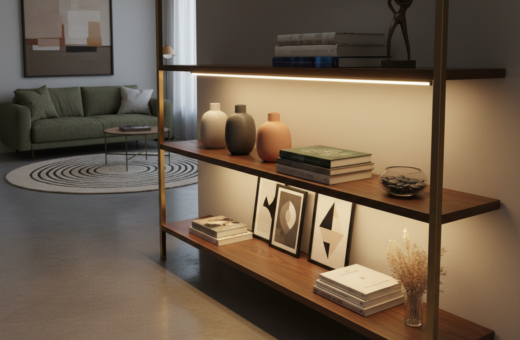
- Plan ambient lighting installation near shelves and the desk to highlight textures and seating.
Choose quality pieces—a sturdy desk and well-made seating anchor the design and boost comfort. Thoughtful texture choices make even small rooms feel layered and professional.
“Layer materials and lights to build depth; the result feels like an extension of favorite games and media.”
Conclusion
Smart choices let anyone craft a striking setup without overspending.
Focus on essentials: pick reliable seating, a quality desk, and targeted lighting to lift the whole space.
He can design a compact game room that fits the size of his apartment by prioritizing a console or PC area. Mixing a tight palette and a few statement pieces keeps costs down and yields a cohesive style.
The core idea is simple: blend technology with personal touches to boost the gaming experience. Start small, test layouts, and scale upgrades over time to make a lasting, futuristic sanctuary.