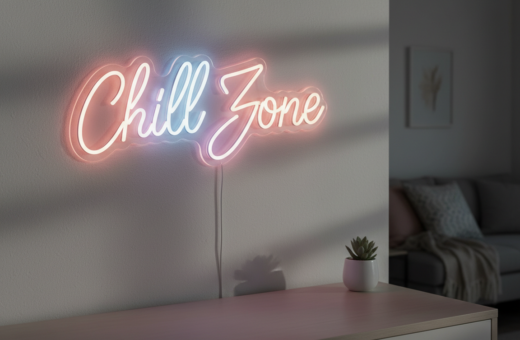
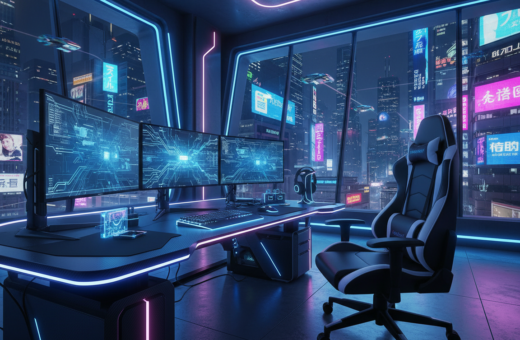
Transforming a small game room starts with smart decisions about room lighting. Simple changes to the placement of lights and use of led strips can make a tight space feel open and calm.
They can place soft accent strips along shelves and ceilings to draw the eye up. This creates the illusion of height and expands perceived space. A few well-placed colors also define zones without clutter.
Modern control options let users tweak light color and brightness from an app. That instant control helps set the mood for play and focus. It also improves the overall gaming experience by reducing eye strain.
Good design balances function and style. With targeted strips, led backlighting, and smart control, a compact area becomes a professional, immersive setup. Small upgrades deliver a big boost to space and comfort.
Principles of Using Gaming Room Ambient Lighting to Expand Small Spaces
Using broad, even light across the ceiling helps small areas feel open and uncluttered. General illumination from overhead fixtures or large lamps removes shadows and makes corners recede.
Establish a base layer first. Start with soft, white room lighting to set the mood and keep the space usable. This foundation prevents harsh contrast and reduces eye fatigue during long sessions.
Then add targeted effects. Install led strip lights around the ceiling perimeter to create a colorful glow that visually pushes back walls. Use task lighting for desks and cabinets so work areas stay bright while the rest of the space feels larger.
- Choose RGB+CCT downlights to switch from practical white to vivid colors for game time.
- Balance glow and task fixtures so function and ambiance coexist.
- Keep controls simple to shift scenes quickly and preserve comfort.
For practical guidance, see the essential guide to game room lighting to match fixtures and control options to your layout.
Strategic Placement Techniques for Visual Depth
Layered placement turns flat areas into perceived depth with minimal changes. Small, deliberate sources draw the eye along walls and up toward the ceiling. That sense of distance makes a compact game room feel open and intentional.
Using Bias Lighting to Reduce Eye Strain
Bias lighting behind a monitor should match a 6500K color temperature to reduce eye strain during long gaming sessions. This soft backlight reduces contrast between a bright display and darker surroundings.
Place the strip lights a few inches behind the display and aim for even coverage. Combine this with a warm 3000K general glow for a gentle environment that is kinder to the eye.
Highlighting Vertical Features
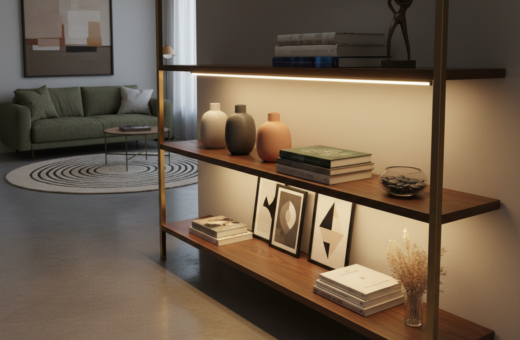
Accent lighting on shelves, tall cabinets, and wall displays draws the eye upward. An led strip along a shelf edge or a vertical band of color on a wall increases perceived height and adds dimension.
- Accent strips on shelving create layers that expand visual space.
- Infinity pieces like the HyperCube10 add a dynamic focal point to enhance the gaming experience.
- Task lamps and targeted fixtures keep work and display areas functional without overwhelming the scene.
For practical fixture choices and placement ideas, see a guide to game room lighting to match strips and fixtures to your layout.
Selecting the Right Fixtures for Compact Environments
Choose low-profile fixtures that tuck under shelves and behind displays to keep tight spaces tidy. This approach preserves floor area and keeps sightlines clear.
Compact LED strip solutions deliver wide, even illumination with minimal bulk. Many led strip lights include built-in heat sinks, which makes them safer near electronics than older bulbs.
Choosing Compact LED Strip Solutions
Install strips under shelves or behind monitors as subtle accent lighting. That placement highlights collectibles and wall art without crowding the layout.
Hyperspace Lighting offers high-quality LEDs with a 50,000+ hour lifetime for consistent performance. Mount strips in aluminum channels with a frosted lens to diffuse light and create a polished fixture.
- Save space: slim channels hide cabling and prevent visual clutter.
- Protect gear: heat-sink led strips run cooler around desks and displays.
- Easy control: app-based dimming lets users reduce brightness to lower eye strain during late-night sessions.
Enhancing Immersion with Smart Controls and Color
Syncing light scenes to sound and gameplay creates depth that draws attention away from tight corners. This approach boosts presence and makes a small space feel larger.
Syncing Lights to Audio
The Twinkly Music Dongle makes audio-reactive effects simple. It ties in-game sound to LEDs so strips pulse and shift with explosions, music, or dialogue.
This real-time response increases immersion and keeps the eye moving across the wall and shelves.
Utilizing App-Based Customization
The HyperDrive LED Kit offers over 16 million colors and advanced patterns. Using an app, users can create scenes that match any mood or game.
HyperCube Nano supplies 95 patterns that are easy to tweak via smartphone and sync with Razer Chroma for in-game cues.
Integrating Smart Home Ecosystems
Voice control through Alexa or Google Assistant simplifies changes during sessions. One command can shift color, dim the glow, or trigger a scene.
- Pro tip: For setup guidance, see Philips Hue’s game room lighting ideas.
- Combine sound sync, app scenes, and voice control to enhance the overall gaming experience.
Conclusion: Transforming Your Gaming Sanctuary
Thoughtful use of strips, accents, and task fixtures helps a confined space read as open and purposeful. With simple upgrades—LED backlight, vertical highlights, and balanced room lighting—one can reshape perception and comfort.
Reducing eye strain through bias lighting behind displays and mixing task and accent sources keeps sessions comfortable. Adding strip lights and subtle colors draws the eye away from tight corners and creates depth.
For a cohesive result, pair smart controls with low-profile fixtures and a clear plan. The right choices elevate the game room, improve the gaming experience, and make every session more immersive for gamers.