In 2026, the evolution of the gaming room centers on immersive, functional design. It blends efficient layout with personal style so each player can enjoy longer sessions without strain.
Designers focus on smart setups that make the most of limited space. Thoughtful choices boost comfort and keep equipment ready for intense play.
They pick modular pieces and wall-mounted gear to free floor area and to create a clean visual flow.
This approach elevates the gaming experience and reflects individual taste. For ideas on flexible, space-saving options, see a practical guide to compact setups for tight spaces.
Smart layout and the right setup help every pixel feel more vivid and support marathon sessions with better ergonomics and style.
Assessing Your Available Gaming Space
Map the usable floor area first; it guides whether a corner setup or a full game room works. Measuring length, width, and ceiling height sets clear limits for desks, monitors, and consoles.
Measure twice, plan once. Mohamed Trabelsi provided photography on Unsplash that helps visualize how to measure your available gaming space accurately. Use a tape measure and a quick sketch to mark door swings and outlets.
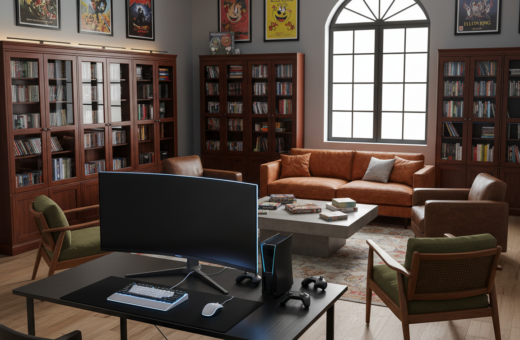
In a shared living room, a compact corner setup keeps the area functional without taking over the home. A dedicated gaming room allows L-shaped desks and multiple monitors for an expanded experience.
Think vertically to avoid empty floor areas. Wall-mounted shelves and tidy cable runs add storage for controllers and accessories while keeping the layout balanced.
- Record usable width and depth near your planned desk.
- Note outlet placement and natural light to reduce glare on monitors.
- Plan pathways so sessions are comfortable and traffic-free.
Selecting Small Gaming Room Furniture for Multiple Systems
A well-planned mix of compact desks and vertical storage makes multiple systems work together. This approach keeps equipment reachable and clears valuable floor space for movement.
“Choose pieces that serve more than one purpose,” interior pros advise, because multi-use items cut clutter and raise comfort during long sessions.
Compact desk solutions with built-in drawers or shelves centralize a gaming desk area. Slim profiles fit under windows or in corners while holding a monitor, console, and controllers.
For multi-system layout strategies, stack consoles on wall-mounted shelves and route cables down raceways. Foldable tables or a pull-out secondary surface give quick extra workspace for a second player or a controller swap.
- Use vertical shelves to store games and accessories.
- Select ergonomic chairs sized to the desk depth.
- Pick monochrome tones and clean lines for a calm, functional style.
“Vertical storage and transformable pieces are the fastest way to add function without sacrificing style.”
Designing Multi-Functional Zones for Work and Play
Certain studio layouts can serve as a productive office by day and an immersive play area by night. Clear zoning helps the eye and the body shift modes quickly.
Define zones with vertical cues, light, and storage. Use shelves and cabinets that hold both work documents and games. This keeps essentials visible and tidy, so the setup feels deliberate instead of cluttered.
Integrating Gaming into Studio Apartments
For studios, a loft bed with a desk underneath creates a dedicated desk and console nook without losing floor area. A compact desk fits a monitor and controller while leaving room for a chair or ottoman.
LED strips along a wall or shelf add atmosphere and act as a visual divider between the workspace and play area. They enhance the gaming experience and do not take up physical space.
- Place shelves and cabinets to separate storage for work and games.
- Choose modular options that can be rearranged as needs change.
- Keep cables in raceways to preserve clean sightlines and quick setup swaps.
“Dual-purpose shelves and a lofted desk create a balanced, efficient living setup.”
Choosing a Gaming Room Theme That Reflects Your Style
Picking a cohesive theme sets the tone and makes arranging gear and seating feel intentional. A clear direction helps select color, lighting, and seating that support long gaming sessions without visual clutter.
Minimalist Modern Aesthetics
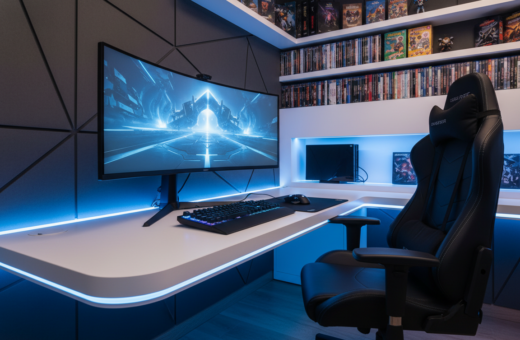
The minimalist modern approach places function first. Clean lines, neutral tones, and tidy cable runs keep the space calm.
Advantages: better focus, easier cleaning, and a sleek look that suits multi-console setups.
High-Tech Futuristic Vibes
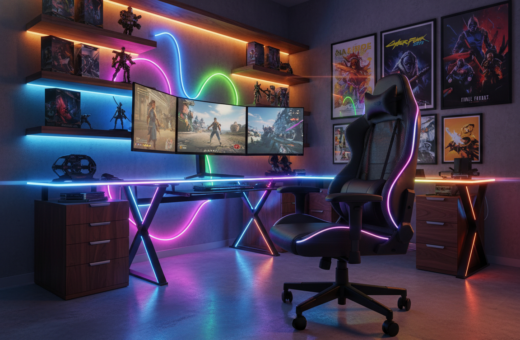
For a high-tech feel, add metallic accents, RGB LED strips, and a sharp gaming chair. Ambient lighting and smart controls boost immersion.
- Use LED profiles to outline shelving and console bays.
- Keep displays and cables organized to highlight the tech features.
Retro Arcade Inspiration
Retro themes bring bright neon and vintage posters together. Classic arcade cabinets and bold lighting recreate the arcade game energy.
“Kadyn Pierce provided photography on Unsplash showcasing anime and cyberpunk looks that complement retro and futuristic themes.”
Tip: Add plushy bean seating and display shelves for collectibles to make the area welcoming for guests and marathon sessions.
For more curated gaming room ideas, see gaming room ideas to adapt a theme to your space.
Finding the Perfect Gaming Desk for Your Setup
The desk is the hub where ergonomics, storage, and display needs meet for a smooth setup. Tarn Nguyen provided photography on Unsplash that highlights why sturdiness and built-in storage matter in a gaming room.
Choose a desk that supports monitors and accessories without flexing during intense sessions. Materials like solid wood or MDF strike a good balance of durability and style.
Consider an adjustable option if switching positions matters. The Bifrost Elite 120 ergonomic stand desk, starting at $749.99, offers electric height changes to alternate between sitting and standing.
For extra surface area, L-shaped desks (around $399.99) work well for multiple monitors and controllers. Desks with shelves or cabinets keep consoles and games organized and off the floor.
- Stability: prevents wobble during marathon sessions.
- Storage: built-in shelves or cabinets keep essentials tidy.
- Size: match desk depth to monitor stands and controllers.
“A sturdy desk with smart storage is the fastest way to upgrade a gaming setup.”
Selecting Ergonomic Chairs for Endless Hours of Play
Long sessions demand a chair that keeps posture steady while players focus on performance.
A good ergonomic gaming chair supports the spine, reduces strain, and helps maintain focus during marathon sessions. ELLA DON provided photography on Unsplash that highlights these benefits in real setups.
Prioritizing Posture During Marathon Sessions
Adjustability matters. Pick a chair with adjustable height, tilt, and lumbar support so each gamer can customize fit to their desk and monitors.
Supportive seating reduces fatigue and lowers the risk of back pain. This improves the overall gaming room experience and lets players concentrate on games and console performance.
- Height: matches the gaming desk and keeps forearms level.
- Lumbar support: preserves natural spine curvature.
- Seat depth and tilt: prevent pressure on the floor of the thigh.
“Proper seating is a key element of a professional setup.”
Maximizing Vertical Storage and Cable Management
Stacking storage upward frees floor area and makes gear easier to reach during sessions. Wall-mounted shelves and cabinets give each console and accessory a clear home so the desk stays uncluttered.
Effective cable management keeps the gaming room clean and professional. Use clips, sleeves, and raceways to group power and data lines away from foot paths.
LED lighting can be integrated into shelving to highlight collections and add subtle decor. It improves style without taking up space and helps identify ports at night.
- Mount shelves near the desk to store controllers, games, and accessories within arm’s reach.
- Label cables and use Velcro straps to prevent tangles and speed swaps between consoles.
- Reserve one cabinet shelf for power strips and surge protection to keep the setup tidy.
Tip: A tidy vertical system extends usable space and makes long sessions more comfortable.
Incorporating Immersive Lighting and Decor Elements
Lighting choices shape mood and focus more than any single piece of equipment.
Use layered lighting to separate play areas and highlight displays. Combine overhead fixtures with LED strips and task lights so the console and monitor areas stay clear and glare-free.
Smart controls let users change color, brightness, and presets to match games or chill sessions. Coohom Platform provides resources and support via [email protected] to help plan immersive lighting and decor that fit a living room or dedicated space.
Wall art and posters personalize the setup and make the room feel unique. Mount prints near shelves or above the desk so they frame the play area without overcrowding sightlines.
“Proper lighting and curated decor tie consoles and layout together for a cohesive experience.”
- Place LED strips behind displays and under shelves for depth.
- Use dimmable fixtures to reduce glare during late sessions.
- Keep decor proportional to wall space to avoid visual clutter.
Conclusion
In short, smart prioritization of gear and sightlines creates a cohesive, efficient setup.
Creating the ultimate gaming room starts with clear measurements and a plan for usable space. They choose ergonomic chairs and compact desks to support long sessions and reduce strain.
Personalized lighting and decor transform the area into a sanctuary for favorite games while keeping a professional look. Smart storage and tidy cable runs maintain a clutter-free setup that speeds swaps between systems.
These practical ideas form a solid foundation for a stylish, high-performance setup. With careful planning, any room can become a comfortable hub for play and productivity.