Designing a dedicated gaming space starts with seating that balances form and function. A smart layout gives each player enough space to move, reach a controller, and see the screen clearly.
In 2026, top setup trends favor ergonomic chairs and roomy desks that hold multiple consoles and accessories. This keeps controllers, keyboards, and a monitor within easy reach and reduces fatigue during long sessions.
A clean, organized area with thoughtful lighting and storage improves focus and the overall entertainment experience. Professional gamers note that tidy storage for accessories and a pleasing furniture aesthetic help friends enjoy video games together without distractions.
Investing in comfort — quality chairs, a sturdy desk, and clear sightlines to the monitor — makes split-screen play more social and sustainable. Small choices in layout and furniture produce a better gaming experience for everyone who shares the room.
Planning Your Multiplayer Gaming Room
Measure the available footprint early to ensure every console, desk, and chair fits without crowding. A clear plan saves time and avoids costly returns when ordering furniture.
Start by sketching the layout and noting doorways, windows, and power outlets. This helps define zones for play, storage, and social space.
Assessing Available Space
Record room dimensions and mark fixed items like radiators and vents. Leave walking paths so gamers can move freely during sessions.
Measure for screens and monitors, and allow clearance behind chairs. Wall-mounted shelves save floor area and keep accessories tidy.
Defining Your Gaming Zone
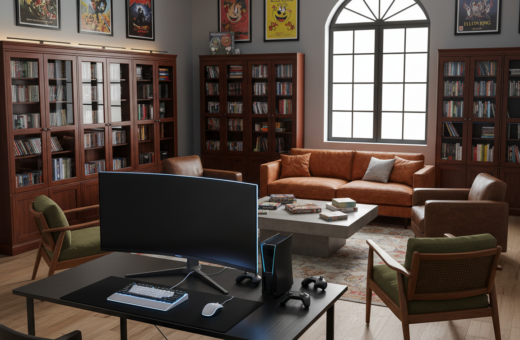
Group the monitor, console, and desk to create a focused play area. Modular furniture trends in 2026 make it easy to reconfigure this zone for different games or guests.
Pro tip: Keep storage close to the setup so controllers, keyboards, and mice are within reach. For extra guidance, see these tips for designing your dream game.
Selecting the Right Seating for Split-Screen Sessions
Choosing seating that supports long play sessions is the first step toward a comfortable split-screen setup. Ergonomic gaming chairs deliver lumbar support and breathability, which reduce fatigue during extended time at the screen.
When a group shares one monitor, seating comfort matters more than style. Multiple supportive chairs let players stay focused and relaxed while they play video games together.
“Comfortable seating directly improves posture and concentration during intense sessions.”
Look for adjustable features: height, tilt, and armrests help match each player to the desk and console setup. Testing chairs in person ensures the best fit for your space and desktop layout.
- Support: lumbar and neck cushions prevent strain.
- Adjustability: customize for different gamers and desks.
- Aesthetic: a well-chosen chair upgrades the overall setup.
Investing in ergonomic furniture keeps the game area inviting and makes the entertainment space a place friends want to return to again and again.
Optimizing Your Screen and Display Setup
A smart display choice balances field of view, legibility, and distance for every participant. This makes play more comfortable and keeps the action clear during split-screen sessions.
Choosing the Ideal Monitor or TV Size
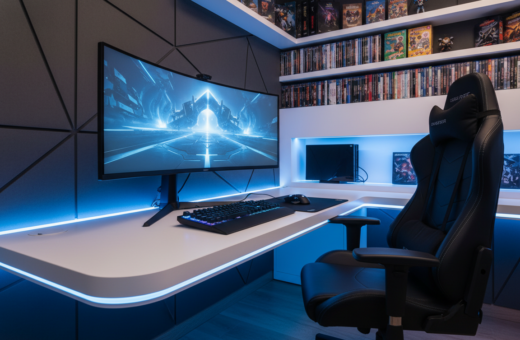
Consider resolution and aspect ratio: a widescreen monitor that supports 5120×1440 gives fans of sports titles about 90% of the pitch view. That wider field of view helps competitive play and improves situational awareness.
Match the screen to the space. Measure viewing distance from the desk or seating area so text and HUD elements stay readable. Larger TVs can overwhelm small rooms and cause eye strain.
Many desktop gamers prefer dual screens for multitasking. For console play, a single large, stable display with good refresh rates is often best.
- Optimal distance: sit far enough to take in the full display without moving your head constantly.
- Stable mounting: ensure the screen is on a solid stand or wall mount to avoid wobble during intense sessions.
- Complementary lighting: position ambient lights to reduce glare and protect sightlines.
“A wider, high-resolution screen makes split-screen play more immersive and fair for all players.”
For advanced tips on matching displays with wireless devices, see this wireless display optimization.
Managing Cable Clutter for a Clean Aesthetic
Taming cable chaos transforms a messy setup into a sleek, functional space. A tidy layout improves the overall gaming experience and makes the area safer for friends who share the space.
Start simple: bundle cords behind the desk with cable ties or a cable tray. Many modern gaming desk models include built-in channels that hide power strips and cables for a cleaner look.
Pro tips: run long runs along baseboards or through the wall where allowed. This keeps floor space clear and makes it easy to reach a console, monitor, or accessories without tripping.
- Use labeled ties to group power, video, and USB cords.
- Mount a power strip under the desk to reduce visible plugs.
- Schedule a quick tidy before every session to keep the aesthetic fresh.
“A neat cable plan turns a cluttered area into a focused play space.”
Implementing Ambient Lighting for Immersive Play
Smart, layered lighting turns a plain setup into an immersive, distraction-free space. Proper ambient lighting helps players focus on the screen while making the area feel comfortable for long sessions.
Using LED Light Bars
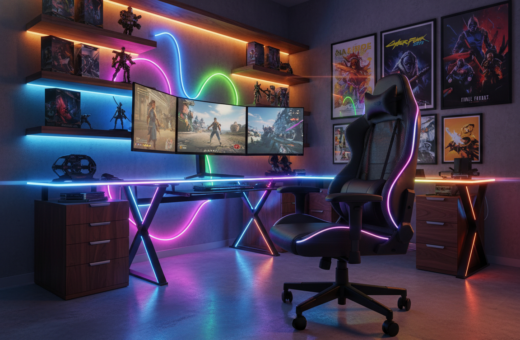
LED light bars and soft strips add color without overpowering the view. Place strips behind the monitor and under the desk to highlight gear and reduce contrast between the monitor and the wall.
Syncing Lights with Gameplay
Many AI-powered panels and smart controllers can sync with sound or game events. This reacts to on-screen action and music, creating a dynamic atmosphere that raises excitement for every gamer.
Avoiding Screen Glare
Position lights so they never reflect directly onto the monitor or screen. Use warm wall sconces or dimmable LEDs to cut glare and keep eye strain low during long play.
“Ambient lighting makes a setup look professional and helps players stay comfortable and focused.”
- Tip: aim lights slightly above and behind seating to protect sightlines.
- Tip: test brightness at different times of day to find the best balance.
- Tip: highlight the desk and console to create a polished battlestation feel.
Choosing the Best Furniture for Your Multiplayer Gaming Room
Furniture that adapts to group size and play style keeps a shared space flexible and tidy. Modular pieces make it simple to reconfigure a setup for different games or guest numbers.
Prioritize ergonomic support. A quality gaming chair and a well-sized desk protect posture during long sessions and support console gaming and PC play.
Look for furniture with built-in storage to hide controllers, headsets, and cables. This keeps the screen area clear and the video setup uncluttered.
- Choose modular shelving to change layout quickly.
- Pick a desk that fits multiple monitors and a console.
- Invest in a supportive chair for extended play.
“The best selections balance comfort, function, and style to create a welcoming game room for friends.”
These choices help the gaming room feel cohesive and polished. Good lighting, smart storage, and ergonomic pieces will make the space comfortable and ready for any game night.
Enhancing Audio Quality for Shared Experiences
Clear, precise audio makes a shared play session feel cinematic and keeps every player alert. Most modern action games produce multi-channel sound, so you’ll want to plan for anything from five to seven speakers.
Positioning Surround Sound Speakers
Start by placing the front left, center, and right speakers at ear height near the main display. Rear surrounds go slightly above and behind seating to add depth.
- Balance: aim for even loudness at each seat so the experience feels consistent.
- Space-saving option: a multi-channel soundbar on the desk can mimic surround effects if floor space is tight.
- Test and tune: run a calibration track or use the console’s setup tool before play.
“Proper speaker placement helps you hear every detail, from footsteps to crowd noise.”
By investing in a quality audio system, the setup will boost immersion and keep friends coming back for a better gaming experience.
Incorporating Storage Solutions for Gaming Accessories
Using vertical space is an easy way to free up desk area and organize accessories. Floating shelves display collectibles while keeping the desktop clear. This helps a gaming room feel tidy and efficient.
Smart storage keeps controllers, headsets, and cables in reach. A well-organized gaming desk gives enough space for a keyboard and mouse. They also make the area easier to clean before friends arrive.
“A neat storage plan keeps gear protected and makes the space inviting.”
- Use floating shelves, drawers, and pegboards to show gear without crowding the surface.
- Add headphone stands and controller docks to free up desk space.
- Hide bulky collections in ottomans or cabinets to preserve the room’s look.
Plan storage needs before building the final setup. With good storage, the space stays organized and ready for video games and social time.
Designing a Theme That Reflects Your Group Style
A themed design turns an ordinary play space into a memorable gathering spot for friends.
Start by choosing a clear palette and mood. Match wall art, like Displate metal posters, to favorite titles. This creates an immersive look without cluttering the space.
Coordinate lighting and accessories to support the theme. Warm LED strips and adjustable lamps set atmosphere and protect sightlines during long sessions.
Personal touches matter: display collectibles, statues, and framed prints near the desk and console. These items give the area character and make it feel curated.
“A cohesive theme transforms a setup into a social hub that reflects shared tastes.”
- Pick a color story that fits the game genre.
- Use art and shelves to add depth without crowding floor space.
- Include friends in design choices so the final game room feels shared.
Maintaining Comfort During Long Gaming Sessions
Players stay sharp longer when the space is tuned for comfort and ergonomics. A balanced setup reduces fatigue and keeps attention on the games.
Invest in a hybrid chair that works as both an office and a gaming chair. In 2026, many hybrid models offer superior lumbar support for marathon sessions.
They should adjust to height, tilt, and arm position so each player sits correctly at the desk. Proper alignment prevents strain during intense play.
- Keep ambient lighting soft and positioned behind the display to cut glare and eye strain.
- Take short breaks and stretch to restore circulation between matches or long video sessions.
- Organize the desk and control clutter so the console, controllers, and cables stay within reach.
Maintain a comfortable temperature and chair settings. Professional players highlight ergonomic furniture as essential to make gaming sustainable and enjoyable. With thoughtful choices, the gaming room becomes a lasting, healthy space for everyone.
“Ergonomics and regular breaks are the best defenses against fatigue in long play sessions.”
Conclusion
Finalizing your design means balancing comfort, tech, and style so every player feels at ease. A strong, clear plan ties ergonomic furniture and smart layout into one cohesive setup.
Optimize screen placement, tame cables, and place storage near the desk to keep accessories accessible. Good lighting and tuned audio lift the overall gaming experience.
Invest in a quality gaming chair and prioritize comfort to enjoy long sessions of games. When form meets function, the setup becomes a place where friends gather, relax, and enjoy every game together.