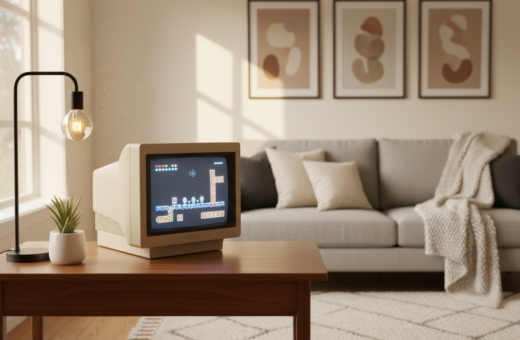
Riya Dave offers a clear vision for how a compact display can shape the look of a living area. Her distinct pixel art style shows how each tiny square helps build atmosphere and focus.
Balance matters. When light and color work together, the display stands out without overwhelming other decor. The result feels curated, not cluttered.
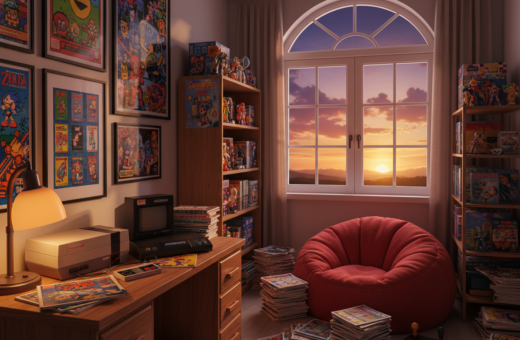
Designers should think about the view outside the window and how interior pieces reflect that light. Thoughtful placement turns a standard space into a professional-grade gaming room that highlights personal style.
For practical tips and panel ideas, see a useful guide on modular displays and setup at modular display options. Small choices in hue and brightness make a big difference.
Designing Your Ultimate Pixel Art Gaming Room
A clear visual theme helps every element feel intentional and balanced. Design begins with tools: the AI image generator offers 20+ styles to customize walls and panels. This lets designers test palettes and scale before buying frames.
Curate assets thoughtfully. Choose pieces that echo favorite retro titles and match overall style. Place each piece so it supports sight lines and the flow of the space.
Natural light from a window contrasts with LED glow and keeps the setting comfortable during the day. Strategic placement prevents glare and makes displays pop at night.
“Every small detail shapes the mood; smart tools make those choices faster and cleaner.”
- Use the AI generator to create custom commissions and unique wall sets.
- Balance framed pieces with open wall space for a professional look.
- Test layouts digitally, then finalize placement to preserve visual cohesion.
For layout inspiration and decor ideas, consult a curated gallery on pixel room decor ideas.
Integrating Dynamic Mood Lighting
Dynamic LEDs let a wall display breathe, changing tone to match activity and time of day. Smart strips and addressable panels sync with visuals to amplify mood. They make displays feel connected rather than static.
Smart LED Integration
Smart LED systems allow syncing between on-screen cues and mounted pieces. This creates seamless transitions that enhance immersion during play or media sessions.
- Sync lighting to dominant hues in a display for a unified look.
- Use controllers that respond to audio and video for dynamic effects.
- Schedule scenes to shift color and brightness through the evening.
Color Temperature Selection
Choose warmer tones for relaxed evenings and cooler whites for concentrated tasks.
Match LEDs to the dominant tone in each piece so the display reads clearly even through a dark window. Proper selection reduces eye strain during long sessions and keeps the visuals central to the style.
“Well-chosen lighting keeps the display as the focal point while supporting comfort and longevity.”
Selecting the Right Pixel Art Displays and Frames
Pick a display that suits your lifestyle—stationary installations differ from portable setups.
Choosing between a portable unit and a wall-mounted frame depends on how much display presence is needed. Portable panels let users experiment and move visuals between spaces. Wall-mounted options anchor a focal point and reduce clutter.
Choosing Between Portable and Wall-Mounted Units
The Divoom Pixoo collection provides robust choices for those who want a high-end option. Many of its models are built to display crisp pixel art and support easy mounting.
Each frame can act like a small window into a digital world, cycling images with a click. A high-quality display ensures each tiny square renders clearly and keeps a professional style intact.
- Portable units offer flexibility and quick swaps.
- Wall-mounted frames create a stable focal point.
- Choose the format that best complements the overall room aesthetic.
“A well-chosen display enhances the setup without competing with other decor.”
Balancing Posters and Wall Art
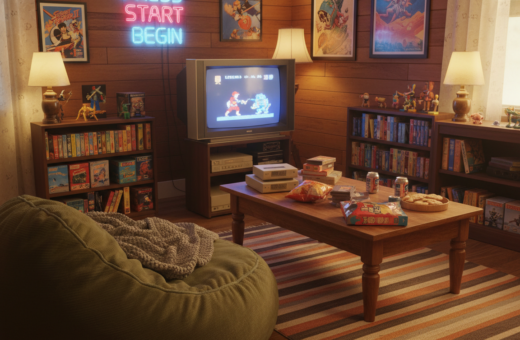
Mixing large prints with smaller digital displays creates a layered look that adds real depth to a space. Treat each poster like a window into a different genre so the overall theme reads clearly.
Place a large poster beside a compact pixel art frame to form a clear focal point. That anchor helps viewers orient themselves and gives the wall an intentional flow.
A professional setup mixes physical prints with screens to showcase diverse influences. Use matching frames and consistent matting to keep the display unified.
Think about negative space. Leave breathing room so no single poster or display overwhelms the rest of the layout.
- Pair bold prints with subtle displays to balance scale.
- Align mounting heights for a neat visual line.
- Alternate textures—paper, canvas, and digital panels—for contrast.
Small choices in placement and style shape how the eye moves through the room. When done well, the mix feels curated, not crowded.
Essential Accessories for a Cohesive Look
The right accessories wrap audio, seating, and wiring into one cohesive style. These finish pieces keep the display feeling deliberate and tidy.
Customizable Speaker Systems
Investing in a customizable speaker system ensures audio quality matches the visuals. Speaker arrays that adjust EQ and placement help sound sit behind a display without overpowering it.
Choose modular speakers that can be wall-mounted or shelved to echo the display’s height and balance.
Ergonomic Furniture Choices
Ergonomic seating supports long sessions and highlights the display’s focal point. A chair with adjustable lumbar support keeps posture steady while viewing or playing.
Select tables and consoles that align with the display frame and the window line to maintain a neat silhouette.
Cable Management Solutions
Effective cable management hides wires that could distract from a clean style. Use trunking, velcro ties, and recessed channels to keep lines tidy.
Even if your cart shows 0.0, planning cable runs and mounting points now saves time later. Every accessory should support the theme and scale of the dedicated space.
“Every accessory, from speakers to chairs, should be chosen to support the overall art theme of the dedicated space.”
- Match speaker tones to the display for a unified sensory experience.
- Pick ergonomic pieces that complement the visual setup and promote comfort.
- Plan cable routes before installation to preserve the curated look.
Conclusion: Bringing Your Vision to Life
A final, thoughtful assembly of displays and lighting turns concept into a lived, inspiring space. Small moves matter: scale, color, and timing shape how the eye reads the wall.
Follow a clear plan so each piece supports the whole. Blend pixel art with posters and mood lighting, and test arrangements until balance feels natural. Use a Divoom Pixoo frame or custom AI-generated prints to anchor the design, and add accessories that keep lines clean and sound controlled.
With deliberate choices, every pixel and piece of art contributes to a cohesive and professional aesthetic. The result will make your gaming room a personal showcase that invites creativity and long-term enjoyment.