Enthusiasts who want a clean room and a classic display can balance style and function. PC Gamer’s community of 28K+ members shows that many people care about hardware and retro play. This introduction outlines how to blend a CRT into living space without visual chaos.
A well-planned arrangement uses modern monitors and lighting to complement an older screen. Choose furniture and art that frame the monitor and keep cables hidden. Avoid heavy décor that competes with the display.
The process focuses on image quality and comfort. When you search for the best crt, pay attention to analog signals, refresh rates, resolution, and blacks. Proper power and input management ensure the computer and console reach their best performance.
This short guide helps readers manage sharpness, organize displays, and make tasteful upgrades. They can turn any room into a dedicated, clutter-free game art space while keeping practical concerns in mind.
The Aesthetic Appeal of a CRT Gaming Setup
Vintage tube screens deliver a visual depth that helps old titles feel alive again. Many retro gaming fans choose these monitors for their natural scanlines and deep blacks. The texture and motion clarity are hard to match with current flat-panel technology.
A well-cared-for monitor can render classic games exactly as intended, handling analog signals and higher refresh rates with minimal input lag.
- Authentic image depth that enhances 90s-era titles and the best gaming memories.
- Natural contrast and scanline warmth that modern computer monitor panels often lack.
- Easy pairing with consoles and a computer when resolution and power are managed.
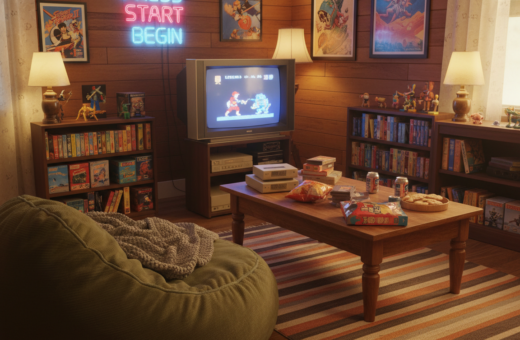
When integrated thoughtfully into a room, the physical presence of a tube display becomes a design asset. It blends nostalgia with modern hardware to create a cohesive, stylish experience.
Planning Your Space for Optimal Visuals
Start by mapping the room so the display and furniture form a clear visual flow. Measure sight lines, doorways, and natural light before you pick a final location.
Lighting Considerations
Proper lighting prevents glare that can wash out deep blacks and high resolution. Aim for soft, indirect light behind or to the side of the screen.
Use dimmable lamps or bias lighting to keep contrast steady. Avoid bright fixtures that cast reflections on the glass face.
Ergonomics and Viewing Distance
Position a 14-inch Bush 1473T at a comfortable distance based on room size. For 20–27 inch models, experts recommend 1.5–2.5 meters to protect posture and sharpen focus.
- Choose a sturdy stand that supports the monitor’s heavier weight.
- Keep the unit away from speakers or magnets to prevent interference with image quality.
- Adjust refresh rates and resolution so pixel art and classic games remain crisp.
“Plan the layout around the screen’s physical size — it will define how the rest of the room functions.”
With careful placement and lighting, a retro display can look intentional and modern without cluttering the space.
Managing Cables and Hardware Components
Smart routing of cables and proper ventilation help preserve picture quality and hardware life. Start by leaving clear space behind and to the sides of the tube — at least 15–20 cm — so the internal power parts can cool during long sessions.
Effective Cable Routing Strategies
Use velcro ties to bundle video and power lines. This keeps the area behind the monitor tidy and reduces strain on input ports.
Choose high-quality analog cables for any console or computer connections to improve image and resolution. Poor cabling can introduce noise that lowers picture clarity.
- Label both ends of each lead so swapping sources is quick and error-free.
- Route power separately from video to cut down on interference.
- Confirm surge-protected power strips are in use to guard the display and computer hardware.
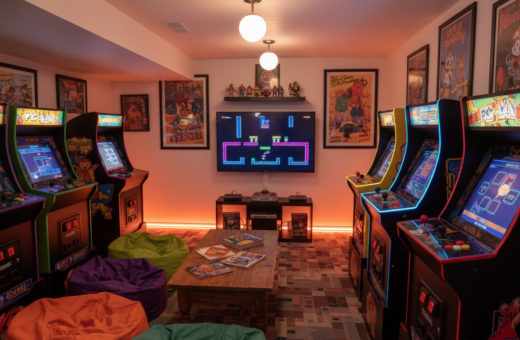
- Keep multiple monitors organized with cable channels or a simple raceway to reduce visible clutter.
A neat arrangement not only looks better but extends the life of crts and modern monitors. Proper routing and spacing make it easier to tweak resolution, refresh rates, and inputs without tearing the room apart.
Calibrating Your Display for the Best Picture
Careful calibration helps older displays render games with accurate color and stable geometry. A short calibration session improves picture quality and preserves image detail across consoles and a computer monitor.
Geometry Adjustments
Start with geometry. Use the 240p Test Suite to fix pincushion, barrel, or trapezoid distortions. Small degauss and convergence tweaks can correct misaligned corners.
Color Balance and Sharpness
Adjust brightness and contrast so the blacks are deep but not crushed. Lower sharpness slightly on many monitors to blend pixels and reproduce an authentic retro image.
Using the Test Suite
The 240p Test Suite is the gold standard. Run its color bars, geometry grids, and sharpness patterns for a full tune-up. Repeat calibration after changing inputs, resolution, or refresh rates.
- Perform a full suite check to match color, resolution, and refresh settings.
- Calibrate regularly, especially when switching consoles or video inputs.
- Keep a separate profile for the CRT and for any LCD or modern monitor.
Regular calibration is part of good maintenance. It keeps colors true and images stable, so the display complements the room without distracting from other décor.
Advanced Decorating Tips for Retro Enthusiasts
Add curated period art and selective hardware to make a retro corner feel intentional rather than crowded.
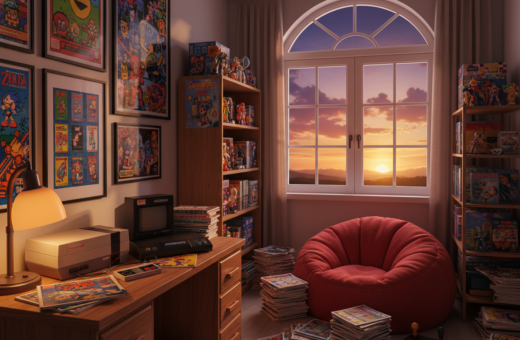
Frame the look. Hang a few retro posters or display boxed games on shallow shelves to echo the era of the tube monitor. Choose pieces that match the room palette and scale them so they don’t compete with the screen.
Mind the light. Installing bias lighting behind the monitor reduces eye strain and makes color and contrast pop. Use dimmable LED strips to keep refresh-related glare low and preserve image quality.
Upgrade where it matters. High-quality AV switches, RGB-modded consoles, and clean power distribution can noticeably improve video and resolution across older monitors. These changes enhance the viewing experience without adding clutter.
- Pick decorative items that complement the industrial form of crts and other monitors.
- Keep surfaces clear; use hidden storage for controllers, cables, and power strips.
- Wipe the screen with a microfiber cloth regularly to maintain sharpness and professional image quality.
For a deeper guide to arranging furniture, lighting, and upgrades, see the room essentials resource.
“Decorating should balance nostalgia and comfort so the display feels like part of the room, not a relic.”
Conclusion
strong, Finishing a retro room well makes the display feel like a deliberate focal point rather than an afterthought.
Creating a dedicated CRT corner is a rewarding project. It delivers the best gaming experience when calibration, cable care, and ventilation are prioritized.
Keep regular maintenance for crts and clean bias lighting to protect the picture and preserve resolution and refresh performance. Small habits pay off in years of reliable play.
For a practical workflow and PC-focused tips, consult the PC CRT guide to streamline hardware choices and display modes.