Designers and gamers who want a nostalgic game room can draw on a clear retail legacy. Chains like Computer City once ran 101 locations, and Circuit City shaped how people shopped for gear.
This introduction outlines a practical list of layout ideas and mood cues. It explains how the history of consumer retail can inform shelving, lighting, and display choices for a modern play space.
The aim is to capture the thrill of wandering aisles without sacrificing comfort. By studying those floor plans and merchandising tactics, they can craft a room that balances retro charm with current tech needs.
Readers will learn simple steps to recreate that feeling of discovery from a past time, using authentic cues and smart modern updates.
Defining the 90s Electronics Store Aesthetic
Designers can borrow retail choreography from past decades to shape how people move through a game room. The focus is on clear sight lines, bold signage, and a lively color story that invites exploration.
Color Palettes of the Era
Vivid primaries and neon accents dominated the period. Businesses like Federated invested significant money in bright hues to lure customers and create a high-energy vibe.
To recreate that mood, balance saturated walls with neutral floors. This keeps the room playful without overwhelming controllers or screens.
The Retail Experience
Shopping back then felt immersive. Successful stores prioritized the experience over quick transactions to build loyalty.
- Design traffic flow to guide visitors past demo zones.
- Use clustered displays to encourage lingering and discovery.
- Prioritize comfortable sight lines and clear signage.
Incorporating Neon Signage and Bold Branding
Neon and bold graphics can turn a game room into a purposeful retail-like stage for gear and gatherings.
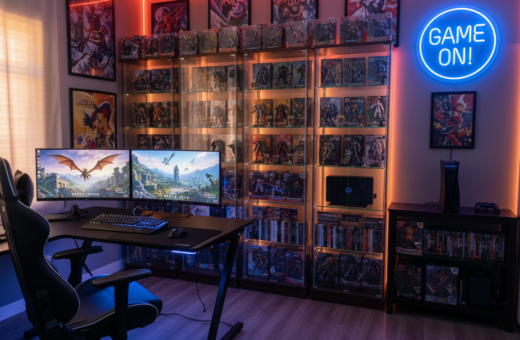
Neon signage was a staple of the 90s retail scene and helped direct shopper attention to new releases and demo zones. Modern game rooms can use custom neon signs to create similar focal points.
Bold branding and high-contrast graphics work together to guide foot traffic and highlight key areas. Designers should plan signage placement to mirror how famous stores used cues to steer shopping behavior.
- Place neon above demo stations to draw the eye.
- Use saturated color blocks to mark zones and improve wayfinding.
- Layer small logos and big text for visual hierarchy.
Tip: Blend practical labels with decorative neon so the room feels both lived-in and purposely merchandised. Brands like Radio Shack leaned on this mix to pull buyers toward featured tech.
The Appeal of Transparent Technology Displays
Clear casings turn complex components into visual centerpieces that invite closer inspection. This approach borrows from retail displays that once let shoppers see the inner workings of gear.
Showcasing Internal Components
Visible internals highlight design intent. A clear acrylic case or tempered glass side panel shows fans, cables, and cooling loops in a way that reads like curated art.
Treating a rig as an exhibit adds depth to a game room. Instead of hiding parts, the space celebrates each module as a collectible part of the setup.
- Use clear cases to mimic retail demo rigs and improve lighting effects.
- Combine labeled callouts to explain key technology and components to guests.
- Arrange multiple units so the room functions like a small gallery for hardware and computer builds.
Design tip: Keep demo pieces tidy and dust-free. Clean presentation makes each device feel professional and invites conversation during shopping-style visits.
Creating Dedicated Product Demo Zones
Dedicated demo stations turn a game room into an active lab for testing gear before any purchase.
Computer City once ran 101 locations and built product training centers and service bureaus that taught people how to use new tech. Recreating that feel means carving out a clear testing corner in the game room.
Set a compact bench with a working computer, a variety of controllers, and sample phones. Hands-on access helps guests compare input lag, feel, and comfort. This makes shopping decisions faster and more confident.
Arrange demo items so products are easy to swap and power up. Use labeled stations to show features and services, just as a professional retail area would.
When demos are tidy and live, the space becomes part display and part personal sale environment. That blend drove higher sales in classic stores and still helps visitors value what they try.
Utilizing Industrial Shelving and Grid Walls
Metal shelving and grid walls give a game room instant structure and a functional retail feel. These systems were the backbone of many classic stores and translate well to a home setup.
They offer modular shelving that adapts as a collection grows. A wall of grids makes controllers and cables easy to hang and swap. This keeps the room tidy and ready for guests who want to try gear.
The raw, utilitarian look of steel complements modern rigs and lighting. Designers can mix open racks with clear display cases to balance form and function.
- Maximize floor space by moving displays vertical—use tall units near a demo bench.
- Group accessories by type so visitors find what they need during shopping and play tests.
- Label zones with small tags or magnetic plates for a professional retail touch.
When arranged thoughtfully, industrial shelving creates a flexible, shopping-inspired layout. It mirrors how successful stores used vertical systems to present lots of inventory without clutter.
Recreating the Circuit City Service Counter Vibe
A dedicated help desk gives a game room a practical hub for fixes, trade-ins, and quick guidance.
The service counter once defined the customer experience at Circuit City. Staff gave hands-on advice and handled complex product sales with confidence.
To mimic that energy, build a compact bench with tools, a cash tray, and a management tablet. This station supports maintenance, cataloging, and small repairs.
Signage and Graphics
Professional signs and bold graphics establish a clear name and identity for the space. Use magnetic tags, branded panels, and a visible price list to guide shopping and sales.
Thanks to the legacy of big retail, a central service hub also helps manage the flow of money and goods in a tidy way.
- Keep a labeled drawer system for parts and product returns.
- Train one person to log incoming items and handle simple warranty services.
- Use a short sign or plaque linking to a reference page like service hub inspiration.
Integrating Retro Audio and Visual Hardware
Vintage audio gear can anchor a game room with warm, familiar textures and tactile controls.
The rise of home entertainment in the 90s was driven by chains like Radio Shack, which sold the AV gear that defined the day.
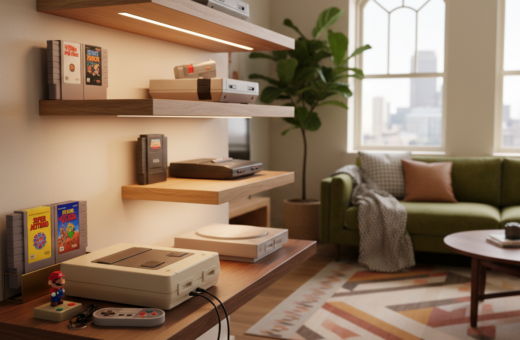
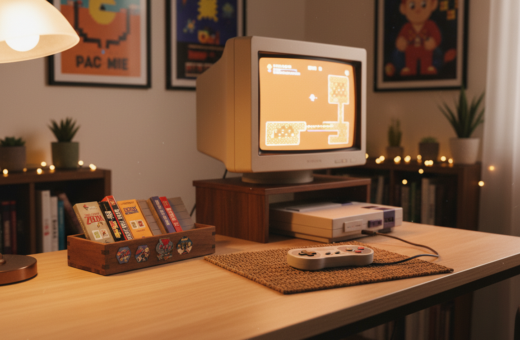
Integrate cassette decks, VCRs, and CRT televisions to celebrate the music and movies people remember. These units act as focal points and spark conversation.
Thanks to renewed interest, working vintage equipment is easier to source today. Collectors and refurbishers keep classic components functional.
- Place a CRT on a low console to create a dedicated viewing niche.
- Group a cassette deck and amp with labeled shelves to highlight sound samples.
- Use a single VCR or media player as a playable exhibit for movie nights.
Curate deliberately: keep gear clean, label tapes and discs, and blend one or two modern inputs so visitors can switch between analog and digital playback.
The Role of Maximalist Store Layouts
Maximalist layouts pile visual stimuli into every corner, turning a private room into a discovery-filled maze.
Historic chains such as The Wiz ran more than 80 locations across New York, New Jersey, and Pennsylvania at their peak. Chains like circuit city and The Wiz used dense displays to drive impulse buys.
To apply that energy, fill walls with posters, shelves with hardware, and corners with collectibles. This creates a lively, layered backdrop that rewards close inspection.
Careful organization keeps abundance from becoming chaos. Group items by theme, label sections, and keep clear pathways so guests can browse comfortably.
Design tip: aim for intentional clutter—each item should add meaning or nostalgia. When done well, a packed room feels like a bustling hub rather than a cramped office.
- Mix visual density with clear signage to guide attention.
- Use tall shelving to create layered browsing zones.
- Rotate displays so every visit reveals something new, echoing how classic stores encouraged repeat visits.
Sourcing Authentic Vintage Electronics
A careful search uncovers well-preserved units that tell the real story of past consumer tech from the 90s. Collectors often scan auction site listings and local markets to find originals and good-condition parts.
Whether seeking a Radio Shack module or an early computer model, buyers check serials, labels, and cosmetic wear. These clues confirm provenance and add value through documented history.
Patience pays off. Many devices still work and let visitors experience the same technology that shaped retail habits. That hands-on quality makes collecting more than nostalgia—it can be practical and instructive.
“Building an authentic collection preserves stories and tools that shaped how people shopped and learned about gear.”
- Use trusted marketplaces and inspection photos before bidding.
- Prioritize well-maintained units to protect your investment of money and time.
- Document each acquisition so the gear fits your room’s retail-inspired layout and business model.
Balancing Nostalgia with Modern Functionality
A thoughtful blend of past design cues and present-day hardware lets a room honor history without sacrificing speed. This balance helps a gamer enjoy visual charm while keeping play smooth and reliable.
Vintage products and retro displays set the tone. Modern components deliver performance. Hiding current gear behind period-appropriate facades preserves the look and keeps cables out of sight.
Understanding the limits of older technology gives context. It also makes modern upgrades feel more impressive. Designers should choose which classics to showcase and which modern items to prioritize for low latency and compatibility.
“Circuit City struggled to adapt to changing times, a reminder that nostalgia must coexist with practical product choices.”
To future-proof the room, pair a few authentic modules with current consoles, PCs, or audio gear. Label demo zones so guests know what is vintage and what is modern. This approach honors memory while ensuring the space serves real play for many times to come.
Lighting Techniques for a Retail Atmosphere
Smart illumination turns a hobby corner into a professional presentation space that highlights prized pieces. Proper lighting makes hardware look sharper and helps guests focus on displays.
Use layered fixtures to recreate the crisp, inviting feel of a commercial environment. Track lighting and recessed LED strips provide uniform light and reduce glare on screens.
Cool-toned bulbs can mimic the fluorescent wash common in big-box settings. This choice reinforces authenticity while keeping colors accurate for product demos.
- Position spotlights over demo benches to draw attention to controllers, consoles, and vintage units.
- Use diffusers or bounce panels to soften harsh highlights and protect monitors from hotspots.
- Integrate dimmable LEDs so the room can shift from bright demo mode to relaxed play sessions.
- Accent shelves with low-voltage strips to emphasize collectibles without overwhelming the display.
Tip: test placements during different times of day. Lighting that reads well in daylight and at night keeps the room welcoming and professional.
Managing Cable Clutter Like a Professional Retailer
A polished game room depends as much on hidden channels as on hero hardware. Neat wiring conveys care and makes each display easier to read.
Professional electronics retailers mastered cable control to keep demo units like phones and consoles tidy. They used sleeves, ties, and routed channels so guests could focus on the product, not the mess.
Use practical solutions to achieve that same look at home. Cable sleeves group runs together. Velcro ties allow quick swaps. Concealed channels hide power and data lines behind benches and shelves.
- Label both ends of each cable so swaps and repairs are fast.
- Place surge protection and power strips in an accessible but hidden tray.
- Bundle demo leads for phones and controllers so they stay ordered during use.
Design thinking treats cords as part of the layout. When cables are planned, the space reads like a professional sales floor and highlights the curated technology on show.
“Consistent maintenance keeps displays inviting and reduces downtime.”
Conclusion
A well-crafted conclusion ties past retail lessons to the practical steps of building a memorable game room. It nods to the rise of Circuit City and other stores and leans into the nostalgia of music and movies that shaped those spaces.
This list showed how each part of a layout matters. Designers can blend merchandising cues with modern comforts so the room works in real time and across different times of use.
Thanks to that retail legacy, every element—from the store name on a sign to curated shelves—helps tell a story. Spend a day testing the setup and browsing your favorite site; you will feel how a deliberate plan turns memory into play.