The modern sanctuary for players blends high-performance hardware with visual storytelling. In 2024 the emphasis shifted toward immersive design that supports play and display. This intro outlines how a functional setup differs from a curated collector display.
A functional setup centers on ergonomics: correct chair placement, screen height, and sensible layout so long sessions stay comfortable. Lighting and RGB accents improve visibility and mood without getting in the way of performance.
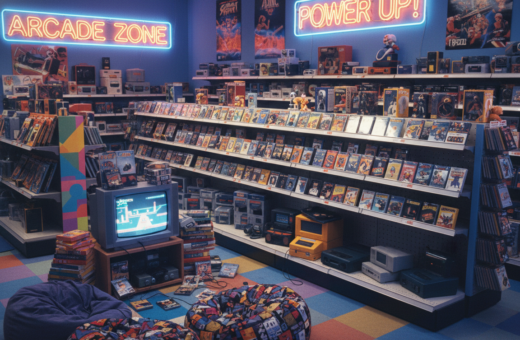
By contrast, collectors often choose a clear theme—arcade, sci-fi, or retro—to define their aesthetic. Shelves, display cases, and curated memorabilia shape the vibe and act as focal points for the space.
Whether it is a home office or a dedicated area, planning must include consoles, cable routes, and display options. The right balance of form and function helps gamers enjoy both play and presentation in one coherent design.
Defining the Gaming Collection Room Experience
The first step is deciding whether the area will prioritize play or presentation. With over 121,000 uses of #gamingroom on TikTok, creators share endless ideas that shape home setups.
They should map a clear vision: will the space serve daily games and high-end accessories, or act as a curated display for prized items? Each choice changes storage needs and decor.
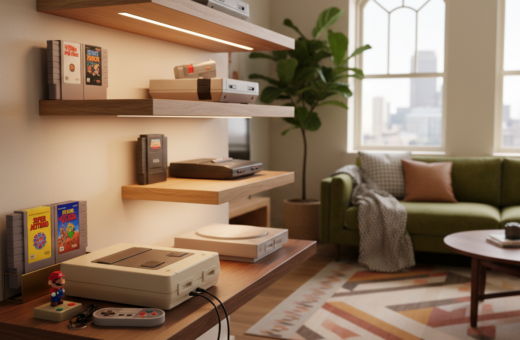
Wall-mounted shelves and compact cabinets offer smart storage that frees floor area and keeps collectibles visible. Integrating the setup into shared home areas calls for layout options that stay tidy yet inviting.
“A well-designed area balances performance gear with treasured memorabilia.”
Practicality matters: plan cable routes, pick flexible shelving, and reserve zones for play and for show. This approach delivers a better overall experience and more usable options for any house.
- Clear intent guides layout choices
- Vertical storage maximizes small areas
- Balance tech and display for lasting appeal
Core Differences Between Functional and Collector Setups
Some spaces gear every detail for peak performance; others stage gear as art. This section breaks down how layout, furniture, and features shift when the priority is play versus presentation.
Performance-Driven Layouts
Performance-first setups put the screen and desk center stage. Monitor height, cable management, and an ergonomic chair reduce fatigue during long gaming sessions.
These designs favor multiple monitors, a sturdy desk, and clear floor space for movement. Integrating office-grade furniture keeps the area useful for work and play.
- Ergonomic chair and adjustable desk for comfort
- Optimized monitor placement and cable routing
- Functional accessories that improve gameplay and uptime
Visual-Centric Arrangements
Display-focused setups highlight decor and collectibles. Wall-mounted shelves, display cases, and RGB lighting create a distinct aesthetic vibe for guests and fans.
Collectors often trade some functional features to keep items visible and protected. The space becomes a curated showcase rather than a pure workstation.
- Wall shelving and glass cases for protected display
- Accent lighting and RGB to set mood and draw the eye
- Layout choices that prioritize sightlines over ergonomic tweaks
Optimizing Your Gaming Collection Room for Daily Use
Daily-use areas perform best when layout and gear serve quick access and long comfort. Start with a desk that fits a monitor, peripherals, and a small shelf for controllers. A roomy surface cuts clutter and speeds setup between sessions.
Ergonomic furniture matters. Choose a chair with lumbar support and adjustable height to reduce fatigue. Proper posture improves focus and extends comfortable play time.
Plan storage that keeps favorite games and accessories within reach. Use drawers or open cubbies for controllers and cables. Good storage keeps the setup functional and tidy.
- Desk sized for your monitor and peripherals
- Accessible storage for controllers and chargers
- Comfort-focused chair for longer sessions
- Screen placed at eye level to reduce strain
Arrange the space so frequently used items are easy to grab. Small layout changes deliver a big boost to the overall gaming experience and make the area ready at a moment’s notice.
Curating a Pure Collector Display
A dedicated showcase emphasizes preservation and visual rhythm over everyday utility. This approach turns prized items into focal points and guides choices for shelves, cases, and lighting.
Shelving and Cabinet Solutions
Choose sturdy units that balance visibility with protection. IKEA KALLAX offers flexible shelving and modular storage that works well on a wall.
Specialized cases add polish. For example, the LEGO Old Fishing Store display case is priced at £78.99 and fits a high-end display strategy.
Protecting Rare Memorabilia
Preservation matters: dust seals, UV-safe glass, and stable shelving reduce wear. Use archival materials for fragile items and consider locking cases for high-value pieces.
Lighting for Impact
Accent and ambient lighting highlight sightlines and protect items from harsh heat. Layered lighting creates drama while keeping the overall aesthetic cohesive.
- Plan wall space to avoid cluttered sightlines
- Use covered display cases for dust control
- Mix open shelves with glass cabinets for variety
Integrating Ergonomic Furniture for Comfort
Comfort-first furniture makes a measurable difference during long play sessions. Choosing pieces that adjust to posture and movement helps people stay alert and reduces strain.
Start with a solid desk and chair pairing. The Bifrost Elite 120 ergonomic stand desk, priced at $749.99, is an example of an investment that adds height adjustability and built-in stability.
Selecting the Right Chair
An adjustable chair with lumbar support, tilt lock, and arm adjustments is essential. They support posture during extended sessions and cut discomfort.
- Invest in ergonomic furniture: a quality desk and chair reduce fatigue and improve focus.
- Match desk height to the monitor: keep the screen at eye level to protect the neck and shoulders.
- Use built-in storage: desks with drawers or cable features keep the space tidy and the setup functional.
Proper choices are a long-term health and performance play. For guidance on selecting pieces that fit a specific layout, see the best furniture to fit out a gaming.
Strategic Lighting Techniques for Every Aesthetic
Layered illumination helps transition a space from focused sessions to relaxed display. Use base lighting for even visibility, then add accents for mood and emphasis.
Ambient lighting creates a comfortable backdrop. Soft overhead or wall-mounted fixtures reduce eye strain and support a consistent gaming experience.
LED strips are a common feature for wall shelves. They highlight accessories and decor while giving the setup a modern, “futuristic” edge.
“Good lighting lets a player switch from intense play to relaxed viewing without changing furniture.”
Mix color and temperature to match the current game theme. Cooler hues boost focus for competitive play; warmer tones suit nostalgia and display.
- Base light: even, low-glare illumination for long sessions.
- Accent light: LED strips or spot LEDs to showcase shelves and accessories.
- Task light: adjustable desk lamps for close work and precision.
With a few deliberate choices, lighting becomes an essential feature that lifts the vibe and makes the gaming room feel like a professional setup.
Managing Space in Small Gaming Environments
When space is tight, designers lean upward instead of outward to reclaim floor area. Small areas can still deliver a professional setup with careful choices.
Vertical Storage Strategies
Wall-mounted shelves free floor space and keep games and accessories visible. Use a mix of open shelving and closed cabinets to balance display and dust protection.
Under-stairs ideas turn wasted areas into efficient hubs. A slim shelf run, a floating cabinet, or pegboard storage makes the most of awkward angles.
- Mount shelves to keep collections organized without crowding the floor.
- Stack storage cubes for modular flexibility along a wall.
- Use labeled bins to make small items easy to find.
Compact Desk Solutions
Choose a narrow desk that supports one monitor and a small console setup. A corner or wall-mounted desk reduces footprint while keeping the screen at a healthy height.
Multi-use furniture with built-in cable channels and drawers keeps the layout clean. Good lighting and a compact chair complete the area without overwhelming it.
Incorporating Multi-Functional Design Elements
Design choices that double as workspace upgrades help spaces shift smoothly between work and play.
Choose furniture with built-in storage so controllers, cables, and peripherals tuck away without sacrificing quick access. A desk with drawers or a side cabinet keeps clutter down and the surface ready for a task or a session.
Layered lighting adds atmosphere while serving function. Use a focused task lamp for productivity, then switch to accent strips to create an immersive experience without changing furniture.
Opt for convertible pieces: a compact desk that raises for standing work or a media shelf that hides speakers keeps the area flexible. These features let the space work as an office one hour and a dedicated setup the next.
Prioritize comfort and utility by selecting ergonomic chairs and surfaces sized for both long work calls and extended play. Thoughtful decor and modular storage preserve style while boosting daily function.
“Multi-functional design turns limited square footage into a high-value, dual-purpose hub.”
- Storage-first furniture keeps items organized
- Adjustable desks transition between tasks
- Layered lighting supports both focus and immersion
Selecting Themes That Reflect Personal Style
Choosing a theme gives a space instant personality and helps every design choice feel intentional. A clear aesthetic guides furniture, lighting, and decor so the area reads as a unified whole rather than a collection of mismatched pieces.
Balancing Nostalgia with Modern Tech
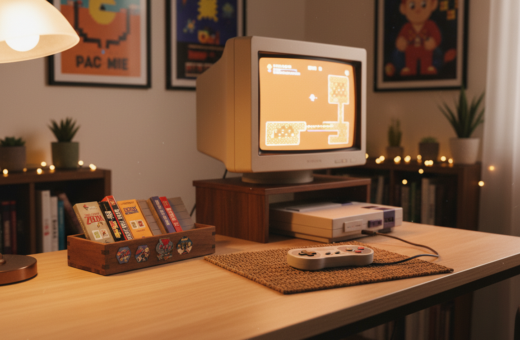
Start by naming the vibe. A retro arcade theme pairs bold wall art and vintage shelves with current consoles and a modern desk. This contrast keeps the space nostalgic but fully functional for long sessions.
Use RGB accents sparingly to highlight display pieces and to tie the modern hardware into an older aesthetic. Pick furniture that echoes the theme while keeping comfort high—an ergonomic chair in a themed color works well.
- Mix eras: combine classic decor with current components to preserve playability.
- Layer lighting: base light plus RGB or spot LEDs creates mood without sacrificing visibility.
- Curate surfaces: themed shelves and framed art make favorite games part of the design.
When a theme is chosen carefully, the space becomes an inspiring backdrop for every gaming session and a showcase of personal style.
Essential Maintenance for Your Gaming Gear
Simple habits — like wiping dust and checking cables — protect both gear and comfort. A tidy gaming room makes setup time faster and keeps the monitor crisp for every session.
Daily and weekly care keeps the desk, peripherals, and lighting working well. Gamers should use a microfiber cloth for screens and compressed air for vents to avoid overheating.
Organize storage so accessories and games stay safe and easy to find. Labeled bins and a simple shelf layout cut clutter and preserve valuable items.
- Wipe surfaces and monitor weekly to reduce dust build-up.
- Inspect cables and clear vents monthly to maintain cooling.
- Condition chair and furniture periodically to extend lifespan.
Regular upkeep improves the gaming experience and extends the life of the setup. A clean space also supports focused, enjoyable gaming sessions at home and helps protect your investment for years of play.
“A well-maintained area is always ready for action.”
Conclusion
The ideal setup pairs comfort, storage, and thoughtful styling. It blends performance features with a curated display that feels personal and useful.
Prioritize comfort with an adjustable desk and supportive chair, and plan storage so games and gear are easy to access. Use layered lighting to switch the mood from focused play to relaxed viewing.
Choose a theme and decor that reflect style, then make small layout choices that improve daily use. With planning and the right options, any room can become a lasting, professional-grade gaming room.