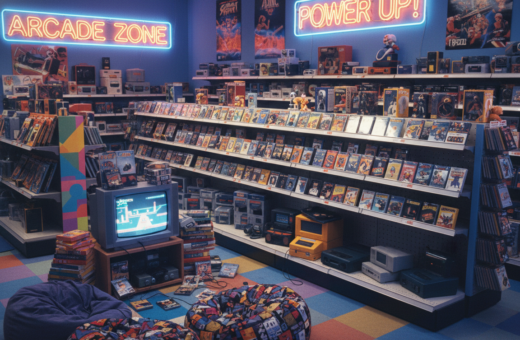
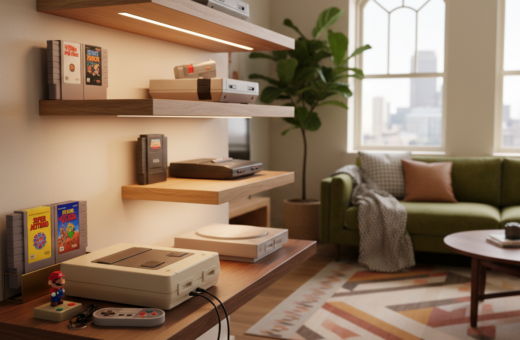
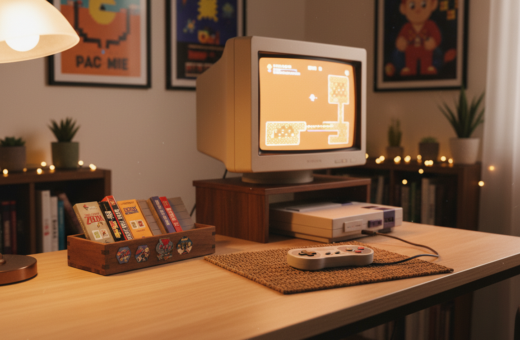
The modern gaming enthusiast often faces the challenge of arranging gear that spans eras, from the 1989 Nintendo Game Boy to today’s consoles. Designing a cohesive display helps unify these pieces into a single visual story.
Handheld devices, controllers, and vintage systems each demand different spacing, lighting, and protection. Thoughtful placement keeps items accessible for play while preserving delicate hardware from dust and heat.
Professional curators of gaming gear balance preservation with everyday use. They choose shelving, mounts, and lighting that respect original form factors and brand aesthetic.
This guide outlines the core interior design principles applied to retro gaming pieces. It shows how structured layouts transform clutter into a curated gallery and improve the ambiance of a dedicated room.
Essential Strategies for a Professional Console Collection Setup
A precise floor plan helps ensure larger vintage systems fit without crowding the living area. Start by measuring length, width, and shelf depth so devices like the original 1995 PlayStation sit comfortably.
Assessing Available Space
Designers recommend vertical shelving with at least 12 inches of clearance per shelf. That spacing accommodates taller cartridges and controllers and keeps vents clear for airflow.
Choose modular units that can be reconfigured as the collection grows beyond ten or twenty items. Position furniture near outlets and limit total draw to 1500 watts per circuit to avoid tripped breakers.
Selecting Proper Lighting
Proper lighting highlights industrial lines and finishes. Warm 3000K LEDs create a welcoming tone and show color without harsh blue cast.
Install dimmable track lighting so they can lower intensity to reduce UV stress on plastic casings. This preserves finishes while letting the display shine during gatherings.
- Tip: Use low-UV bulbs and avoid direct sunlight on vintage plastics.
Creative Display Techniques for Handhelds and Controllers
Thoughtful displays turn handhelds and controllers into focal points rather than clutter. These techniques help preserve hardware while improving room flow. Use clear layers, secure mounts, and tidy power options to make an elegant presentation.
Utilizing Acrylic Risers
Acrylic risers provide a transparent way to elevate devices and create a multi-tiered view. They keep smaller items visible without competing with larger systems.
- Advantage: Easy to clean and unobtrusive.
- Mix riser heights to guide the eye across the shelf.
- Use custom-cut foam pads to stop shifting and protect screens.
Wall Mounting Controllers
Wall mounting with lightweight brackets clears flat surfaces and adds visual rhythm. 3D-printed holders let collectors arrange controllers in geometric patterns.
- Mount pairs symmetrically for balance.
- Store controllers so analog sticks are unsupported to avoid drift.
Organizing Handheld Charging Stations
Designate a charging area with surge-protected strips for safety. Keep cables tidy with sleeves and label each cable for quick access.
For more tips on arranging a retro space, see retro gaming room essentials.
Integrating Classic Systems into Modern Living Spaces
Bringing older gaming hardware into a contemporary room calls for devices that translate legacy signals and tidy power management.
High-quality HDMI upscalers make 240p and 480i sources look correct on 4K TVs. Brands like OSSC and RetroTINK are common choices for clarity and low lag.
Smart HDMI switches let users attach multiple consoles to one TV input. A four- to eight-port switch reduces cable juggling and keeps the media center neat.
Shelving matters. Open-air shelves improve airflow and cut the risk of overheating during long play sessions. Keep systems at least 6 inches away from heat-generating gear like amplifiers or gaming PCs.
Cosmetic details help the room feel modern. Many hide bulky power bricks behind decorative panels or in cable channels to preserve a minimalist look.
- Use an upscaler for older video signals.
- Choose a smart HDMI switch for multiple inputs.
- Prioritize open shelving and six-inch clearance from heat sources.
Final Thoughts on Curating Your Gaming Environment
A thoughtful gaming area marries display aesthetics with easy, safe access to gear. Curating this space is an ongoing process that balances looks with practical needs.
Regular maintenance preserves value and function. Simple tasks, like dusting hardware every 30 days, cut wear and extend lifespan.
Protect items from direct sunlight to prevent yellowing of ABS plastic. Small precautions pay off over years.
The most rewarding rooms reflect personal history and play tastes. By investing time in tidy organization and sensible care, an enthusiast keeps their collection useful and inspiring for a long time.