BoxKing has earned over 1,000 five-star reviews from customers who want premium storage and display. This page shows a simple setup trick that helps older consoles look like a curated collection on camera.
They focus on deliberate placement, clean lines, and a single accent light. A few careful touches make vintage consoles stand out as a centerpiece. This approach turns a casual game area into a refined home display.
Presentation matters: the way one frames and lights each device shapes how viewers judge value. By taking a little extra time and attention, professionals create a premium look that reads well on video.
This page outlines practical steps for selecting angles, balancing negatives space, and polishing each touch. With these tips, older consoles get the visual treatment they deserve and look remarkable on camera.
The Impact of Visual Presentation on Gaming Spaces
Intentional presentation transforms a simple area into a focused entertainment environment. A well-planned room does more than hold gear; it becomes an immersive refuge for the dedicated gamer.
Social trends show this matters: #gamingroomdecor has over 44.7k views on TikTok, proving that visual presentation shapes perception. Viewers respond to clean lines, purposeful placement, and intentional accents.
Smart storage keeps the environment tidy and boosts the overall gaming experience. Clever storage ideas free floor space and make collections easier to showcase.
When designers treat a game room with intent, the space becomes both comfortable and expressive. A professional setup reflects personality and turns a hobby into a polished display.
- Dedicated layout improves comfort and usability in a small area.
- Organized storage extends the life of older consoles and game cases.
- A cohesive design enhances the immersive gaming feeling for guests and streams.
Mastering Gaming Shelf Styling for Retro Consoles
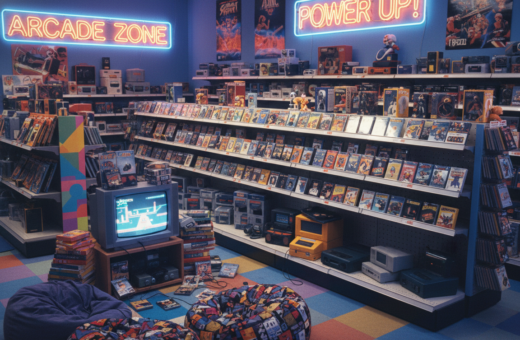
Simple grouping and measured spacing lift vintage systems from clutter to curated display. This section shows how color choices and deliberate placement turn a collection into a composed scene for video.
Color Coordination
Group by hue or era. Placing consoles and boxes by color creates coherent lines that the eye follows. It also makes the display feel intentional during a recording.
Strategic Placement
Balance visibility and access. Use adjustable shelves to fit tall boxes and slim cartridges. Keep the most photographed consoles at eye level.
- Use adjustable shelves to fit mixed-sized items and keep clean lines.
- Design shelving so each console has a dedicated spot and won’t crowd its neighbor.
- Group by color or era to strengthen visual impact for games and hardware.
- Arrange for easy reach during shoots and to avoid blocking key details on the page.
Outcome: Proper gaming shelf styling transforms a cluttered area into a museum-like display that complements the hardware and improves on-camera presence.
Selecting the Right Furniture for Your Display
Choosing the right furniture anchors a display and protects valuable hardware. A sturdy desk or a specialized table prevents sagging and keeps heavy consoles secure.
Durability matters: high-quality wood shelving units handle weight and wear, so storage stays stable for years.
The desk serves as the command center. Pick one with ample surface area for controllers, screens, and other gaming gear.
A supportive gaming chair paired with an ergonomic desk improves posture during long sessions and makes the space more functional.
Investing in premium furniture elevates the entire room. Wood and metal combinations add a refined touch while keeping items organized.
- Choose modular storage ideas that expand as your collection of games grows.
- Prioritize load capacity when selecting shelving and tables.
- Design the layout so the desk remains the focal point for gear and camera framing.
The Role of Lighting in Highlighting Hardware
Proper lighting turns hardware into focal points and gives a room cinematic depth. Thoughtful lighting improves how consoles read on camera and how viewers judge value.
LED Accent Strips
LED accent strips around the desk and inside display zones define edges and add color. Placing strips behind consoles reduces glare and makes details pop on video.
Smart Lighting Systems
Smart systems let one change color and intensity to match content. They improve the overall gaming experience by syncing scenes, transitions, and mood across the room.
Spotlight Techniques
Targeted spotlights draw attention to a single console or collectible. Use warm key lights and cooler fill lights to keep contrast natural for camera sensors.
Practical tips:
- Combine led lights with spot fixtures for depth.
- Keep lighting consistent across the gaming room for video quality.
- Use dimmers and presets to adapt the area quickly for streams or photos.
Managing Cables for a Clean Aesthetic
Tidy cables change how a room reads on camera and help older consoles look intentional. A neat run of cords makes the desk appear professional and keeps attention on the hardware.
Hidden Cable Management
Hide and route: Use adhesive channels or raceways along the wall to guide power and AV lines out of sight. This keeps the wall and desk clean for video shots.
Under-desk solutions like trays and zip-tied bundles reduce clutter at eye level. They also make maintenance easier on busy days.
- Choose cable organizers that fit behind the desk and inside storage compartments.
- Label each cord so disconnecting or swapping peripherals is fast and stress-free.
- Route longer runs through wall-mounted channels to avoid loose loops on the floor.
Outcome: A well-managed setup elevates the room’s style and protects gear. Investing a few hours in cable management saves days of frustration and keeps the focus on consoles and games.
Incorporating Decorative Accessories
Small, meaningful touches can change how a collection reads on camera.
Decorative accessories such as figures, posters, and mini dioramas bring a personal feel to a room. They mark favorite titles and give viewers visual cues about the owner’s history with game systems.
Place small game-themed items to interrupt long runs of hardware. That creates depth and prevents monotony without crowding the main display.
Budget-friendly options include placing figures in clear cases or using framed prints on a side wall. These keep the desk tidy and add character for friends who visit or for stream viewers.
- Choose items that reflect personal milestones and favorite titles.
- Use cases for delicate pieces to keep dust away and retain focus on consoles.
- Limit accents so the area feels curated, not cluttered.
Outcome: Thoughtful accessories pull the setup together. They make the space welcoming and show a clear passion for gaming while keeping a professional, camera-ready look.
Using Display Cases to Protect and Elevate
When items sit behind acrylic, the eye treats them as curated pieces rather than loose gear. A short, clear case both protects and elevates a collection for camera work and everyday display.
Clear Acrylic Cases
Clear acrylic cases keep consoles and collectibles visible from every angle. They also create neat lines on shelves and reduce visual clutter on the desk.
Dust Protection
Dust is the silent damage. Proper storage in a case prevents buildup and preserves finishes over time. That protection keeps items camera-ready and reduces cleaning time.
- High-quality cases, like the LEGO Star Wars UCS Millennium Falcon (75192), cost about £249.99 and offer premium protection.
- Smaller cases, such as the LEGO Speed Champions Cars (6×4), run around £213.99 and fit many shelf ideas.
- Integrate led lights into cases to make the display shine and create a clear focal point on this page.
Outcome: Investing in acrylic cases improves storage, highlights pieces with led lights, and makes a home setup look intentional and polished.
Creating a Cohesive Theme for Your Setup
A clear visual theme turns a collection into a coherent room that tells a story. Choosing retro, futuristic, or industrial tones helps viewers understand the intent behind each placement.
Start with a unified design approach. Match furniture finishes, accent colors, and lighting so consoles and accessories feel like parts of a single plan. This makes each game look chosen for the room, not just placed.
Keep the palette and materials consistent. When every element follows the same design rules, the space reads as intentional and polished on camera.
Practical tip: limit new purchases to items that fit the theme. That simplifies curating and ensures future additions complement the setup.
- Pick one theme and apply it across consoles, frames, and lighting.
- Group games by era or color to reinforce the aesthetic.
- Use consistent finishes and textures to keep the display cohesive.
Ultimately, a consistent design language tells the owner’s story and makes the room feel curated rather than crowded. A strong theme boosts visual appeal and creates a memorable space for anyone watching content or visiting in person.
Optimizing Layout for Camera Angles
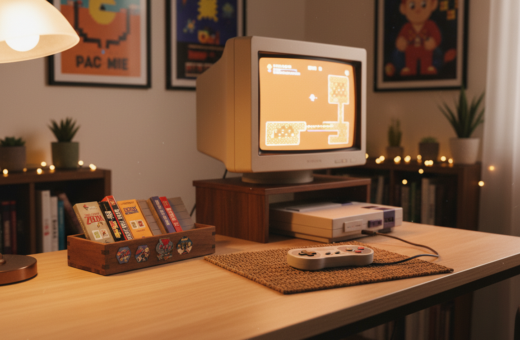
Start by treating the desk as the room’s stage. Place the desk and table so that the display sits squarely in the frame. This creates a clear focal point and reduces background clutter.
Good layout makes the area feel intentional. Center key items on the desk to form a natural anchor. Leave negative space around the display so the camera can move without hitting distractions.
Camera Framing Tips
Angle the camera slightly above or at eye level for the best view of the display. This preserves proportion and keeps the desk dominant in the shot.
- Balance the room: place heavier pieces opposite lighter ones to avoid a lopsided frame.
- Create depth: use the table and desk to layer foreground and background elements.
- Clear pathways: keep the space free so the camera can pan and tilt smoothly.
- Center the focus: put your most important game or console at the center of the desk for easy framing.
Proper planning makes the gaming room look larger and more inviting on video. When every element is placed with the camera in mind, the final footage feels professional and polished.
Balancing Minimalism with Personal Flair
A restrained approach to décor lets each meaningful item in the room stand out. The goal is to keep surfaces tidy while showing personality through a few chosen pieces.
Use LED strips to add a soft glow behind the desk. A subtle led accent creates depth without adding clutter. It keeps the focus on favorite consoles and collectibles during a game or stream.
Choose a comfortable gaming chair that matches the clean lines of the setup. Comfort matters for long gaming sessions, but the chair should not overwhelm the space.
Limit desk items to essentials: one display piece, controllers, and a small personal object. That calm layout supports focus and makes each item feel intentional.
Minimalism is selective, not empty. Small, meaningful accents—like a framed print or a single figure—add flair without crowding the room.
“Each piece should earn its place; when that happens, the room reads as both practical and personal.”
- Keep the desk clear for a neat visual anchor.
- Use led accents for mood, not distraction.
- Select personal items with purpose to reflect the gamer’s taste.
Utilizing Vertical Space Effectively
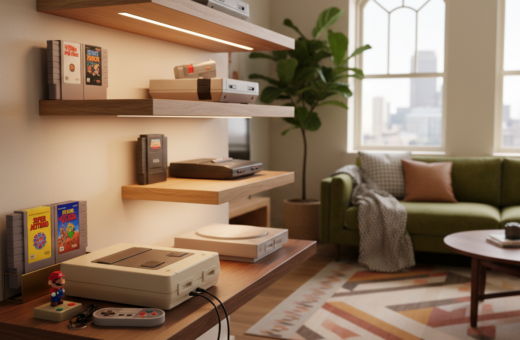
Turning walls into usable real estate frees the floor and highlights prized pieces. Mounting practical shelves creates tidy display zones while keeping the area open.
Wall-mounted storage lets one maximize storage without sacrificing valuable floor space in a small home. High-reaching shelving pulls the eye up. That makes the room feel larger and cleaner.
Vertical storage ideas also boost capacity. By thinking upward, a collector can double storage and keep consoles secure and visible.
- Install sturdy wall shelves to protect hardware and maintain a professional look.
- Use tall shelving units to showcase items and draw attention upward.
- Keep the floor clear to preserve a polished, camera-ready setup.
Outcome: Every inch of wall can serve as a gallery. Smart vertical choices increase storage, organize collections, and make a compact space feel intentional.
Integrating Plants for a Softer Look
A few well-chosen plants can soften hard edges and make a tech-filled room feel more welcoming. Plants add texture and a living element that changes how a space reads on camera and in person.
Choosing Low Maintenance Greenery
Pick resilient varieties like succulents, snake plants, or pothos. They tolerate low light and need minimal care, so the area stays neat with little effort.
A well-placed plant can act as a focal point near a display. It provides contrast to straight lines and creates a balanced look across the home desk or console area.
- Succulents and cacti require sparse watering and suit small spaces.
- Snake plants improve air quality and handle dim corners.
- Use matching pots to keep the place cohesive and camera-ready.
“Greenery brings calm and character, turning a sterile setup into a welcoming environment.”
Overall, plants make the room feel more like a home. They add a subtle touch that improves the aesthetic and the atmosphere of the gaming room without much upkeep.
Choosing the Best Materials for Shelving
Choosing the right materials lays the groundwork for a display that both supports and flatters a collection. Start with durable choices like solid wood or high-quality plywood. These options resist sagging and age well.
Practical design matters: prioritize structural integrity when storing heavy consoles and small parts. Reinforced brackets and thicker boards reduce flex over time.
Wood offers a timeless style that pairs with most furniture and room palettes. A warm oak or walnut finish reads premium on camera and hides minor wear.
- Match board thickness and bracket spacing to the intended load.
- Consider metal supports for long spans to prevent droop.
- Plan for ventilation and access to cables and parts behind the display.
Investing in premium materials pays off: they keep the display stable and simplify future updates. Different materials also offer varied looks, so pick the one that fits the overall ideas and room style.
“Proper shelving materials are the foundation of a professional display, providing the support a collection needs to stay organized and safe.”
Enhancing Depth with Wall Panels
Adding layered wall panels behind a display instantly gives the room more visual depth and professional polish.
Wood panels behind shelves add warmth and frame collections so they stand out. This simple update makes shelving look more premium without replacing furniture.
Panels create a dynamic space that reads well on camera. Framing consoles and games with a contrasting panel draws attention and improves the overall look of the home setup.
These design ideas work in tight rooms and large studios. By combining panels with targeted lighting, the owner can craft a backdrop that highlights key pieces and elevates the entire gaming room.
- Warm wood panels highlight textures and protect finishes behind shelving.
- Panels frame displays so the collection appears curated and camera-ready.
- Fast to install — panels change the look of a space without new shelves.
Outcome: Wall panels are a low-effort, high-impact upgrade that makes shelves read like a gallery and turns a gaming room into a polished, professional area.
Maintaining Your Display Over Time
Routine care keeps a curated display looking intentional and ready for focus.
Schedule quick cleaning sessions to dust consoles and wipe down shelving and storage surfaces. A regular wipe keeps finishes bright and prevents dust from dulling details in photos and video.
Inspect furniture and the small parts of your setup on a monthly basis. Check screws, brackets, and the gaming chair for loose fittings so the space stays safe and comfortable during long gaming sessions.
- Dust and wipe: clean display surfaces and storage so the area reads as professional.
- Inspect parts: tighten fittings on furniture and evaluate the gaming chair for wear.
- Protect collection: maintain storage solutions to prolong the life of consoles and accessories.
- Get support: contact Coohom for setup questions — they offer a 30-day response window.
Ongoing upkeep keeps the room organized and preserves the value of the collection over time. Small, regular actions make the home space more inviting and ensure long-term comfort for every session.
Conclusion
Small, steady improvements over time deliver the most striking results.
The tips on this page help a reader shape a purposeful setup that improves the overall experience. Start with light, a solid table, and one accent on the wall to create depth and focus for the page.
By following these steps, the game room becomes an immersive gaming environment ready to share with friends. A clear plan and regular upkeep save time and preserve the look of the wall and display over months.
Every gamer can craft a space that reflects passion and comfort. Keep experimenting with layout and lighting; the page offers a practical path to a room that feels like a sanctuary.
Thank you for reading this page—take the next step and enjoy the improved gaming experience.